
You flip the wall switch, press the remote, and hear nothing. The light may still work, or the entire ceiling fan may appear dead. Before you reach for a screwdriver, treat the symptom as a diagnostic clue, not proof that the motor has failed.
A ceiling fan that stopped working can have a simple supply problem, a faulty switch, a loose canopy connection, a failed remote receiver, or an internal capacitor that no longer starts the motor. The safest approach moves from external checks to internal inspection, stopping whenever the work involves exposed conductors, damaged wiring, or uncertain test results.
Table of Contents
- Initial Safety Checks and Power Verification
- Tracing the Fault from Wall Switch to Canopy
- Diagnosing Remote Controls and Smart Receivers
- Addressing Motor Hum and Capacitor Failures
- When to Call a 24/7 Licensed Electrician
- Repair Versus Replacement Decision Matrix
Initial Safety Checks and Power Verification
Start with safety, not disassembly. Keep the fan off, use a stable ladder if you need to reach the wall control or canopy, and don't touch wiring until the circuit has been switched off at the breaker. A wall switch in the off position doesn't prove that the conductors are de-energized.
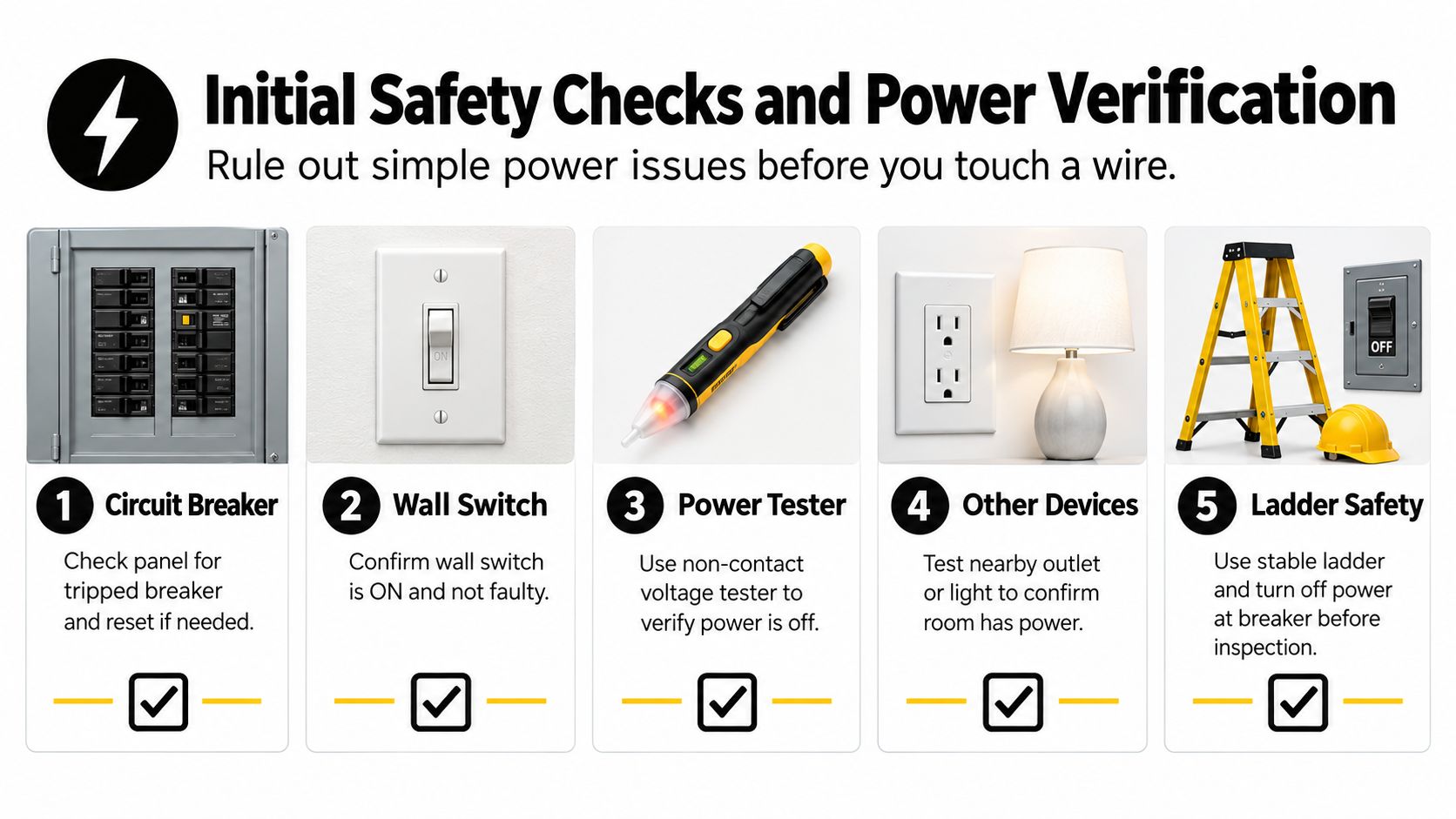
Rule out a room power problem
Work through the least invasive checks first:
Check the wall switch. Turn it fully off, then back on. If the fan uses a pull chain, confirm the chain hasn't left the motor in an off position. For a remote-controlled fan, check the remote batteries and make sure the wall switch supplying the fan is on.
Inspect the breaker panel. Look for a breaker that has moved to an intermediate position or appears out of line with the others. Reset it by moving it completely off, then back on. If it trips again, don't keep resetting it.
Test another device. Check a nearby light or outlet to determine whether the room has power. If an outlet is also dead, use this guide to an electrical outlet that isn't working to help distinguish a localized circuit issue from a fan fault.
Check nearby GFCI protection. A tripped GFCI outlet can interrupt power to another device on the same branch circuit, even when the fan's own switch looks normal. Reset only a visibly accessible GFCI device, and stop if it won't reset or trips again.
Confirm the circuit is dead
Before opening a switch box, junction box, or fan canopy, turn off the correct breaker. Use a non-contact voltage tester according to its instructions, and verify the tester on a known energized source before and after checking the fan circuit. A circuit tester can provide a more direct confirmation, but testing technique matters.
Safety rule: Never rely on the wall switch alone. Turn off the breaker and confirm the absence of voltage before touching a conductor.
If you can't identify the correct breaker, the tester behaves unexpectedly, or the fan is mounted in a difficult-to-reach location, stop there. Electrical troubleshooting is only useful when the circuit can be isolated and tested safely.
Tracing the Fault from Wall Switch to Canopy
The room has power, the breaker stays on, yet the ceiling fan remains silent. At that point, trace the circuit in order: wall control, ceiling connection, then fan assembly. This supply-to-load method helps separate a failed switch or loose connection from a defective motor, receiver, or other internal component. Use this ceiling fan troubleshooting guidance as a general reference, but follow the fan's own wiring instructions for its specific control system.
Test the wall control
A switch may look normal while its internal contacts have failed. With the circuit de-energized, remove the wall plate and inspect for loose terminals, scorched insulation, cracked plastic, or a conductor that has pulled free. If the switch includes a dimmer, timer, smart control, or fan-speed function, confirm that it is rated for the fan and wired according to the installation instructions.
Only a qualified person should restore power for live testing. Keep clear of exposed conductors, use a properly functioning tester as directed, and turn the breaker off again before touching any wiring. A wall switch that feels warm, loose, cracked, or intermittent should be replaced or professionally tested rather than cycled repeatedly.
A failed switch often leaves the rest of the room operating normally. If the fan has no response through its usual wall control, remote, or smart function, the switch and its connections remain possible fault points, but the control receiver may also be involved.
Inspect the canopy connection
If the wall control and its wiring appear sound, turn the breaker off and verify the circuit is dead before removing the fan canopy. The canopy contains the connection between the house wiring and the fan. Look for loose wire connectors, darkened insulation, nicked conductors, heat damage, or a neutral connection that has come free.
Do not tug wires to check tightness. A connector can look secure while making poor contact, and damaged wire may need repair rather than a new connector. Recent installation work raises the possibility of an incorrect connection, an unsecured neutral, or a conductor pinched under the canopy.
Separate supply faults from fan faults
A qualified person can test for voltage at the fan input. If the correct supply reaches the fan but it still will not operate, the fault is inside the assembly, possibly in its receiver, capacitor, controls, or motor. If voltage does not reach the fan, continue upstream only if the circuit can be isolated and tested safely.
Stop and call a licensed electrician if wiring is scorched, the breaker trips, voltage readings are unclear, or access requires an unstable ladder. Replacing an internal component cannot restore a missing supply, and repeated breaker resets will not repair a fan with an energized internal failure.
Diagnosing Remote Controls and Smart Receivers
Older pull-chain fans have a relatively direct control path. A wall switch supplies power, and the chain selects the fan function or speed. A remote-controlled or smart fan adds a receiver, control logic, pairing process, and sometimes a separate wall control. More control points create more ways for the fan to stop responding without the motor itself being defective.
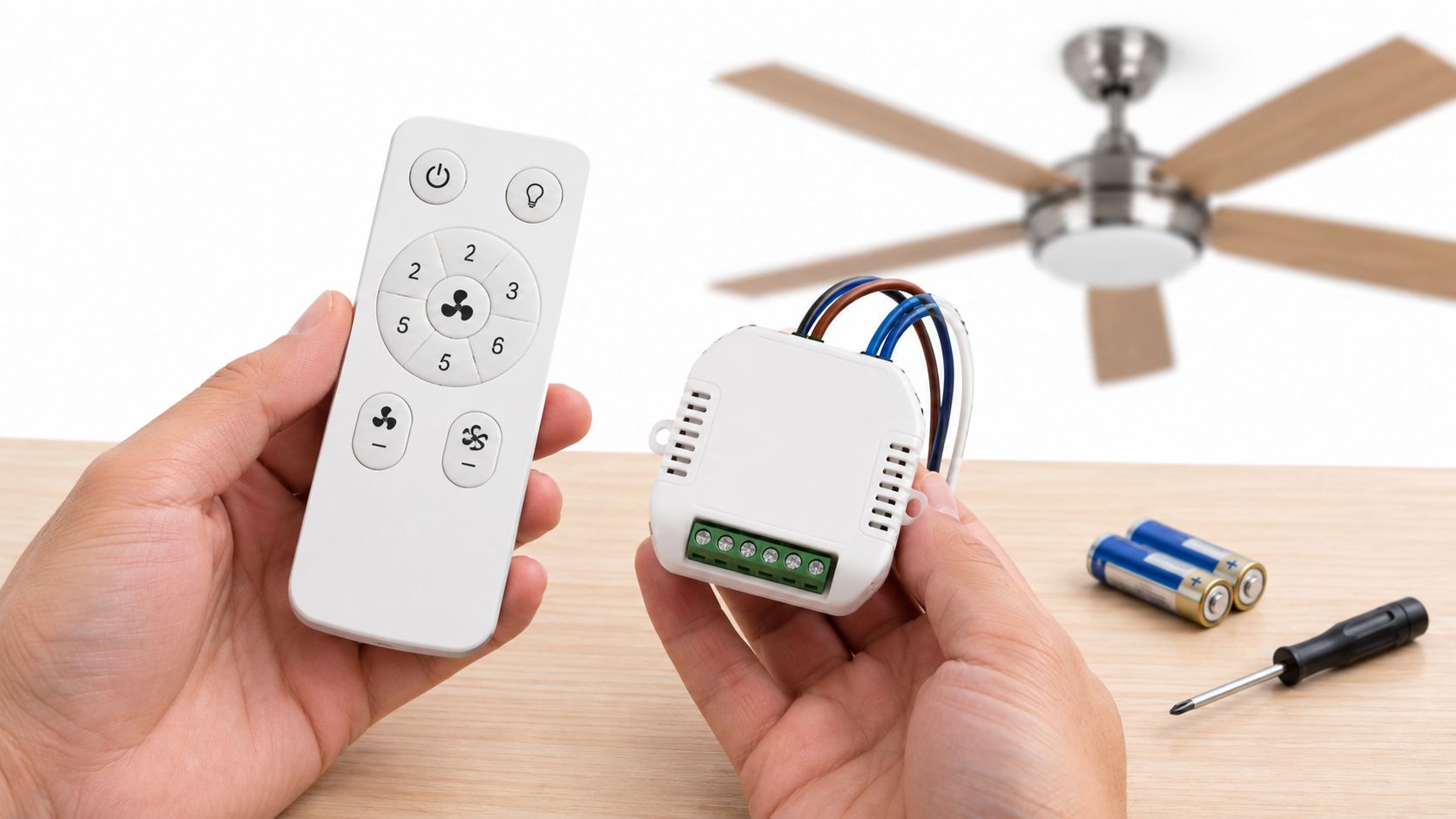
Start outside the housing
Check the remote before opening the fan. Install fresh batteries, confirm the buttons aren't stuck, and make sure the wall switch feeding the fan is on. Some remote systems use matching dip-switch settings or a pairing sequence, so the handset and receiver must be configured to communicate with each other.
A remote can also be sending commands to the wrong receiver configuration after a control change. Follow the fan's installation instructions for the pairing or dip-switch procedure rather than guessing. A mismatch can look exactly like a dead fan.
Read the light and motor symptoms together
The symptom pattern often narrows the fault:
- The light and blades are both dead. Check the wall switch, breaker, GFCI protection, receiver power, and canopy wiring before blaming the motor.
- The light works but the blades don't spin. The fan may have a motor-control channel failure, a receiver fault, a capacitor problem, or a motor issue. The working light proves that some power reaches the fan, but it doesn't prove that the motor circuit is healthy.
- The remote fails while a pull chain or wall control works. The remote, its batteries, pairing, or receiver communication path is the likely area to investigate.
- The fan responds intermittently. Look for a weak control connection, failing receiver, loose wiring, or a wall control that is breaking down under load.
Consider the receiver after an outage
A power interruption can leave the upstream control path in an unexpected state. Check the breaker, any relevant GFCI protection, the wall control, and the remote before opening the receiver compartment. If the fan remains nonresponsive after those checks, an internal receiver may have been damaged or may require replacement.
Don't bypass a receiver with improvised wiring. Receivers are matched to the fan's control system, and an incorrect replacement can create unsafe operation or damage other components. If you can access the receiver without touching exposed wiring, look for loose plug connections or an antenna wire that has pulled away. Otherwise, arrange a licensed inspection.
Diagnostic clue: A fan that has power to its light but ignores every motor command is not automatically a failed motor. The control module may be the part preventing operation.
Addressing Motor Hum and Capacitor Failures
A humming fan that doesn't rotate tells you more than a completely silent fan. It suggests that power may be reaching the motor, while the starting or speed-control system isn't providing the operating conditions the motor needs. The internal capacitor is a common suspect because it helps create the phase relationship and starting torque required by many fan motors.
Identify the capacitor symptom
A failed capacitor can produce several patterns. The fan may hum without starting, struggle to begin moving, run at one speed, or respond poorly to speed selections. A capacitor can fail electrically without obvious external damage, so appearance alone can't confirm its condition.
Turn off the breaker and verify the circuit is dead before removing any cover. The capacitor may sit in the canopy, switch housing, or another internal compartment, depending on the fan design. Never assume that switching the fan off has discharged the component.
Inspect, then match the part
Look for bulging, leaking material, cracked casing, discoloration, or a burnt odor. Those signs support replacement, but the replacement must match the original specifications, including the required capacitance values and suitable voltage rating. A fan capacitor may have more than one value because separate sections control different speed or light functions.
Take a clear photograph of the label before removing anything, but don't treat a visually similar part as an acceptable substitute. The exact fan model and original component markings are more reliable than size or shape. If the label is unreadable, have an electrician identify the correct replacement.
Capacitor replacement also involves safe handling. A person who isn't trained to isolate and discharge the component shouldn't attempt the repair. Even after the breaker is off, use an appropriate meter and established procedure to confirm that stored charge isn't present.
For homeowners who aren't comfortable testing motor components, professional electrical motor service is a safer route than trial-and-error part swapping.
Know when the motor is the real failure
If the capacitor and controls test correctly but the motor still hums, stalls, overheats, or makes grinding sounds, worn bearings, damaged windings, or motor fatigue may be involved. A seized bearing can keep the blades from turning even when electrical power reaches the assembly. Don't force the blades by hand while the fan is energized, and don't continue operating a motor that smells hot.
Cleaning helps prevent dust buildup around accessible surfaces, but it won't restore damaged windings or a failed bearing. At that point, compare the cost and effort of motor replacement with replacing the complete fan, particularly if the unit has already developed wobble, noise, or repeated electrical faults.
When to Call a 24/7 Licensed Electrician
DIY troubleshooting should end when the fault becomes uncertain or the risk increases. A ceiling fan is attached overhead, connected to fixed wiring, and often controlled by more than one electrical component. A wrong connection can leave the fan apparently functional while creating heat, shock, or fire risk inside the canopy.
Call a licensed electrician promptly if you notice any of the following:
- Repeated breaker trips. One reset may identify a temporary interruption, but repeated trips point to a fault that requires diagnosis.
- Burning smells or heat. Stop using the fan if the canopy, switch, receiver area, or wiring smells burnt or feels hot.
- Melted insulation or wire connectors. Damaged insulation isn't a cosmetic issue. It can expose conductors and indicate overheating.
- Sparks, crackling, or visible arcing. Turn off the breaker if you can do so safely and leave the fan alone.
- Uncertain voltage results. If you don't know whether the circuit is dead, don't open the box.
- Complex smart controls. Multiple switches, paired receivers, and altered wiring make blind substitution risky.
- A loose ceiling box or unstable fan. Mechanical movement can damage electrical connections and the mounting structure.
The urgent threshold is especially clear after an outage or surge. A fan that remains dead may have a control failure, but a fan that trips protection, smells hot, or shows damaged wiring needs a professional assessment rather than another reset.
For Palm Beach County homeowners, 24/7 residential electrical repair provides a practical option when the problem occurs outside normal hours or when safe testing requires licensed equipment and experience. Lighthouse Energy Services can diagnose fan wiring, switches, control paths, and related residential electrical faults without asking a homeowner to work around energized conductors.
Repair Versus Replacement Decision Matrix
Repair makes sense when the fault is isolated and the fan's mechanical condition remains sound. A switch, loose connection, receiver, or correctly identified capacitor can be a reasonable repair. Replacement becomes more attractive when several parts are failing, the motor is noisy or overheating, or the fan has reached the later part of its service life.
A U.S. Department of Energy technical support document estimates a mean ceiling-fan lifetime of 13.8 years and a median lifetime of 13.0 years, with published variation for standard and hugger fans ranging from 7 to 18 years (DOE technical support document). Independent ceiling-fan market and literature reporting places planning life in the 10-to-15-year range, while higher-quality units may last 15 to 20 years or more with proper care (ceiling-fan lifespan guidance).
Use this practical matrix:
| Condition | More sensible choice |
|---|---|
| Fan is relatively young and has one confirmed control or capacitor fault | Repair the identified part |
| Fan has a sound mount and motor but loose canopy wiring | Have the connection corrected |
| Fan is older, noisy, wobbly, and repeatedly failing | Compare complete replacement |
| Wiring is damaged or the ceiling box is unstable | Call an electrician before deciding |
| You want cleaner smart-control integration | Replace with a compatible modern system |
Preventive care still matters. Regularly tightening accessible hardware and learning how to clean a fan can reduce dust and buildup, but maintenance can't reverse end-of-life motor wear. Choose repair when the diagnosis is specific. Choose replacement when the fault is cumulative.
Lighthouse Energy Services handles 24/7 residential electrical troubleshooting, including ceiling-fan wiring, switches, controls, and installation-related repairs in Palm Beach County. If your ceiling fan stopped working and the safe external checks haven't identified the fault, visit Lighthouse Energy Services to request professional help.