
When the Lights Go Out: Understanding Your Switch Problem
Broken light switch issues are common, and they’re often more than an inconvenience—they can signal serious electrical problems. Here’s what you need to know:
Quick Answer: Signs You Have a Broken Light Switch
- Flickering lights when the switch is in the “on” position
- Buzzing, crackling, or popping sounds from the switch
- Warm or hot to the touch switch plate
- Visible burn marks or discoloration around the switch
- Delayed response or needing to flip the switch multiple times
- Loose or stiff switch mechanism
- Sparks when flipping the switch
- Frequent circuit breaker trips when using that switch
You flip a light switch and nothing happens, even with a new bulb. This frustrating scenario is often due to a loose wire connection, but it can also be a warning sign of a more serious electrical issue that demands immediate attention.
A broken light switch isn’t just annoying—it can be a fire hazard. A warm switch, crackling sounds, or flickering lights all point to problems that need to be addressed promptly. The good news is that many light switch problems are fixable. A standard switch costs less than $6 and takes about 30 minutes to replace for someone comfortable with basic electrical work. However, electrical work carries real risks, and knowing when to call a professional is crucial.
I’m Bruce Kemp, a licensed electrical contractor. Throughout my career, I’ve seen how a seemingly minor switch problem can indicate deeper electrical issues—and how addressing them promptly prevents costly damage and dangerous situations.
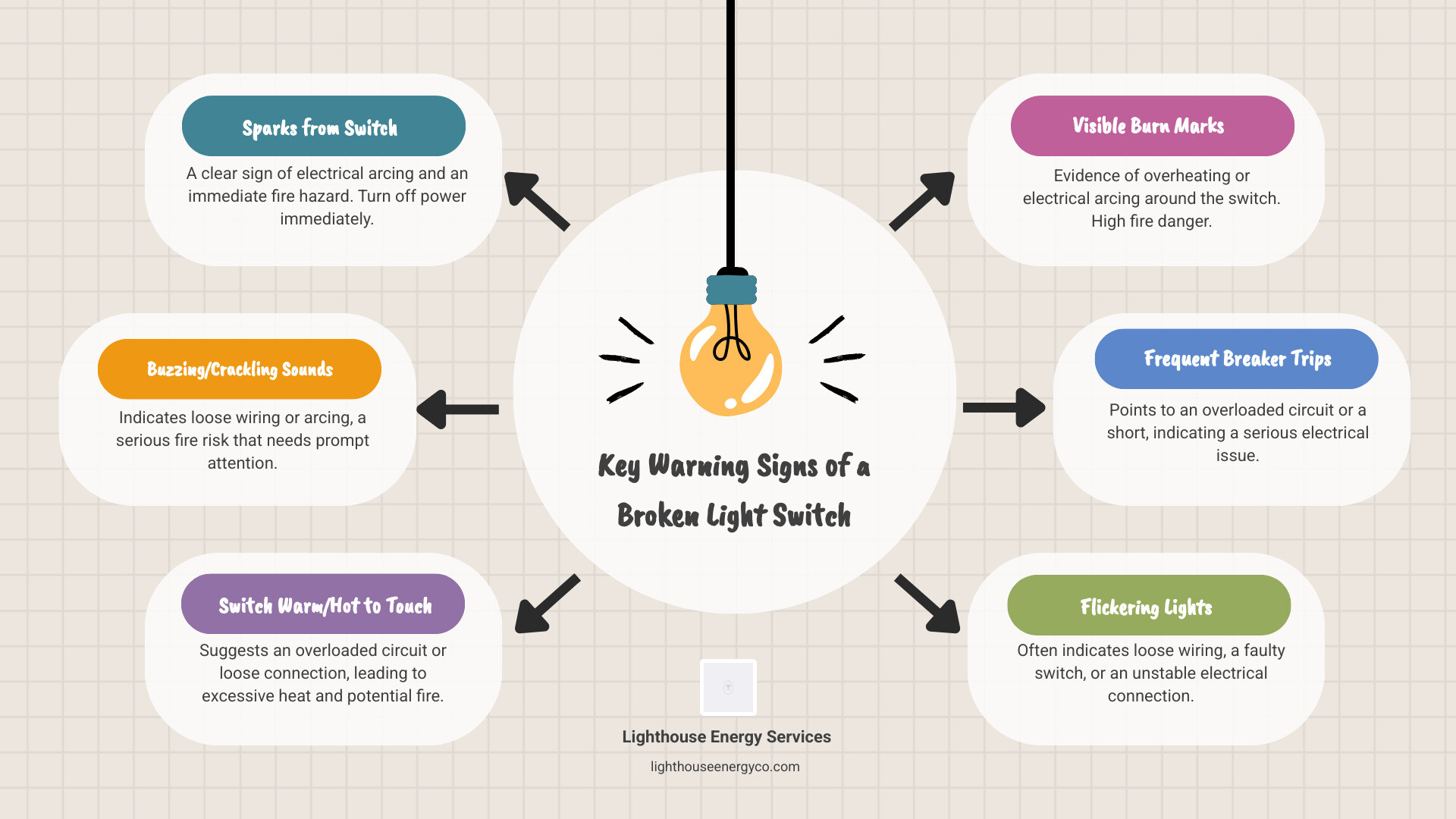
Is Your Light Switch Really Broken? Key Warning Signs
When a light switch acts up, it’s often your home’s way of sending an urgent message. Here’s what your switch might be trying to tell you.
- Flickering lights often point to a loose wire connection, the most common cause of switch problems. While it could be the bulb, persistent flickering indicates an unstable connection that needs attention.
- Buzzing or crackling sounds mean electricity is arcing between loose connections, generating intense heat. This is a serious fire hazard.
- A switch should be cool. If it feels warm or even hot, it indicates resistance from a loose connection or an overloaded circuit, creating a fire risk.
- Visible discoloration or scorch marks are a red flag that the switch has been overheating. If you see this or smoke, turn off the power at the breaker and call a professional immediately.
- A delayed response when you flip the switch suggests a worn-out internal mechanism or loose wire connections.
- A switch that feels loose, wobbly, or stiff indicates the internal components are worn out and failing.
- A tiny, brief spark can be normal. However, large sparks, persistent sparking, or sparks with an audible snap are dangerous and require immediate action.
- If your circuit breaker trips frequently when you use a particular switch, the switch or its circuit has a serious problem that needs fixing. (If you’re dealing with frequent breaker trips, you might find our article on Why Does My Circuit Breaker Keep Tripping? helpful.)
Identifying a Broken Light Switch vs. a Bad Bulb
Before you open up the wall, make sure you’re fixing the right problem. Start with the simplest explanation.
Check the bulb first by replacing it with one you know works. Still not working? Test that “new” bulb in another fixture to be sure it’s not dead out of the package. If the bulb works elsewhere and the circuit breaker hasn’t tripped, you’ve successfully isolated the problem to the switch or its wiring.
Potential Hazards of a Faulty Switch
Ignoring a faulty light switch risks your family’s safety and your home. The main dangers include:
- Fire Risk: Loose wires, the most common cause of switch failure, generate heat inside your walls that can ignite insulation or wood. A warm switch, crackling sounds, or discoloration are all warnings of this hidden danger.
- Electrical Shock: A malfunctioning switch with exposed wiring can deliver a serious shock, a particular concern for households with children.
- Wider Electrical Damage: Overheating can melt wire insulation, leading to short circuits and fire risks that can spread through your system. A faulty switch can also damage appliance motors.
- Early Warning Sign: A broken light switch can be the first sign of a larger problem, like an overloaded circuit or faulty wiring. Ignoring it allows the issue to worsen, leading to more dangerous and expensive repairs.
At Lighthouse Energy Services, we’ve seen what happens when small electrical problems are left unaddressed. We’re available 24/7 because electrical problems don’t wait for business hours, and neither should your safety.
Safety First: Tools and Precautions
You’ve identified the problem and are ready to fix that broken light switch. Before you begin, let’s talk about safety. Electricity doesn’t give second chances, but with the right preparation, replacing a light switch is a manageable task for a careful homeowner.
Essential Tools for the Job
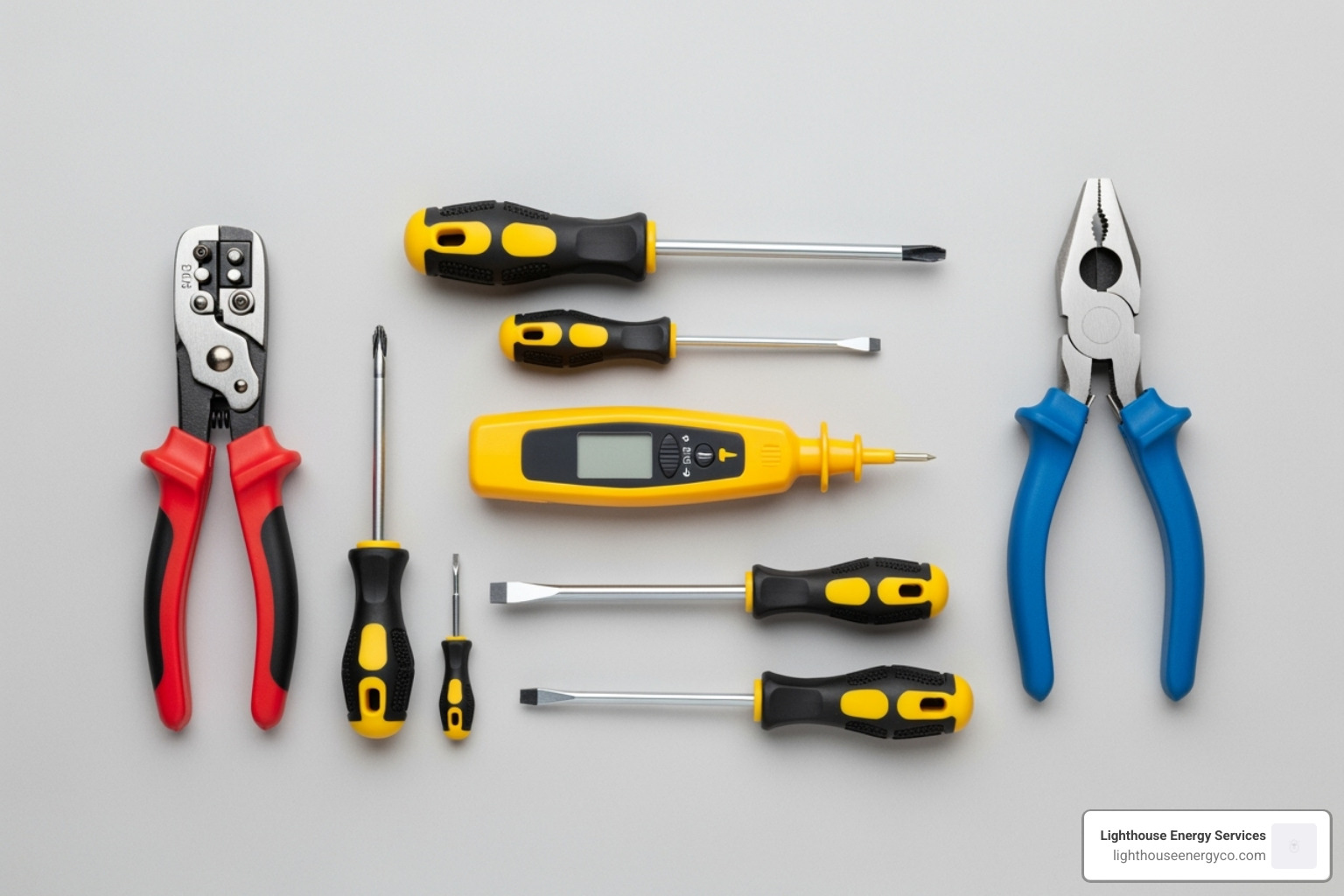
Having the right tools makes the job easier and safer. You’ll need:
- Non-contact voltage tester: This is non-negotiable. It lets you confirm the power is off without touching any wires. Our DIY Basics video on How Do I Use a Multimeter? can help you get comfortable with testing tools.
- Screwdrivers: Both a Phillips-head and a flathead.
- Needle-nose pliers: For bending wires into hooks for terminal screws.
- Wire strippers: To trim or re-strip wire ends for a solid connection.
- Replacement switch: Make sure you buy the correct type.
- Electrical tape and a flashlight.
Critical Safety Precautions
These steps are not suggestions; they are requirements for your safety.
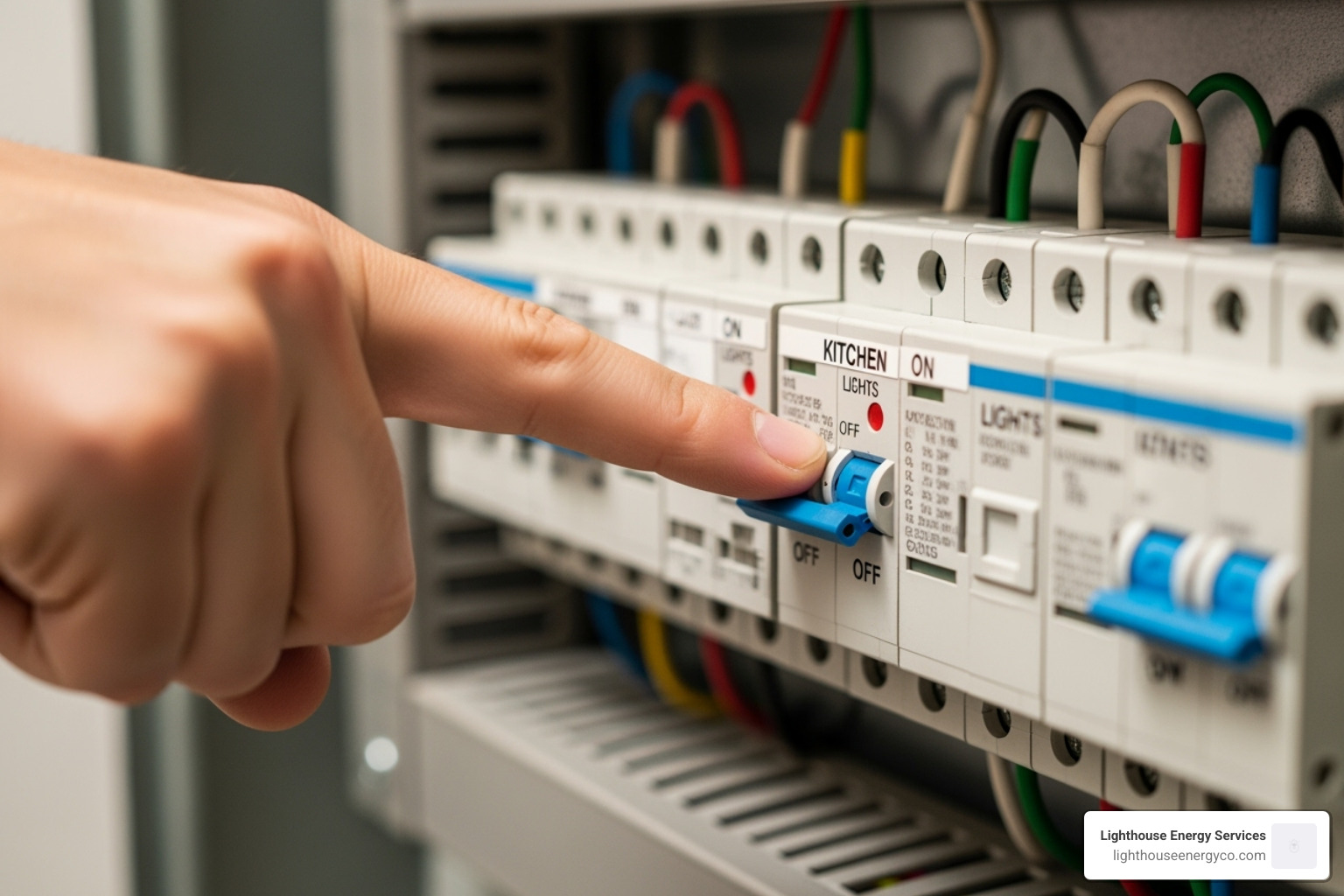
- Turn off the power at the circuit breaker. This is always step one. If you’re not sure which breaker controls the switch, turn off the main breaker to cut power to the entire home. Mark the breaker with tape so no one accidentally flips it back on. Our video on What’s in My Breaker Box? can give you a helpful overview.
- Use your voltage tester to confirm the power is off. Circuits can be mislabeled. Touch the tester to the wires inside the switch box. If it lights up or beeps, there’s still power. Go back to the panel and try another breaker. This double-check could save your life.
- Wear safety glasses to protect your eyes from debris.
- Inform everyone in your house that you’re working on the electrical system.
- Wear rubber-soled shoes for an extra layer of insulation.
Take these precautions seriously, and you’ll be able to work confidently and safely.
How to Replace a Broken Light Switch: A Step-by-Step Guide
With your tools gathered and safety precautions in place, you’re ready to replace that broken light switch. This can be a straightforward DIY project if you follow the steps carefully.
Understanding Different Light Switch Types
First, identify your switch type to ensure you buy the correct replacement.
- Single-pole switch: Controls a light from one location. It has two hot wire terminals and a ground screw.
- Three-way switch: Controls a light from two locations (e.g., top and bottom of stairs). It has three terminals plus a ground.
- Four-way switch: Used with two three-way switches to control a light from three or more locations. It has four terminals plus a ground. If you have one of these, consider calling a pro.
- Dimmer switch: Allows you to adjust brightness and can be single-pole or three-way. For every 10% you dim a light, you can double the bulb’s life.
- Smart switch: Connects to your home’s Wi-Fi for remote or voice control. These often require a neutral wire.
To identify your switch, observe how it works and, once the power is off, count the wires connected to it. Remember to take a picture before you disconnect anything!
Step-by-Step Replacement Process
- Remove the faceplate: After confirming the power is off with your voltage tester, use a screwdriver to remove the plate. You may need a utility knife to score painted-over edges.
- Unscrew the old switch: Remove the two screws holding the switch in the electrical box and gently pull it out.
- Photograph the wiring: Before disconnecting a single wire, take a clear photo of how the wires are connected. This is your roadmap.
- Disconnect the wires: Loosen the terminal screws and remove each wire. For push-in connectors, use a small screwdriver in the release slot to free the wires.
- Connect the new switch: Inspect the wires. If they look brittle or frayed, stop and call a professional. Otherwise, strip about 1/2 inch of insulation if needed. Using your photo as a guide, form hooks in the wires and wrap them clockwise around the correct terminal screws. Tighten securely. Connect the bare copper or green ground wire to the green screw. For help, see our video on How Do I Connect Two Wires?
- Secure the new switch: Gently fold the wires back into the box, push the new switch in, and secure it with its mounting screws. Ensure it’s oriented correctly (for a toggle switch, “ON” should be up).
- Reattach the faceplate and screw it on.
- Restore power and test: Flip the breaker back on and test your switch. If it doesn’t work, turn the power off immediately and re-check your wiring against your photo.
Can I Replace a Dimmer or Smart Switch Myself?
Dimmer switches are often a straightforward replacement, but check if your new dimmer requires a neutral wire, as some older homes may not have one in the switch box. Our DIY Basics video How Do I Use a Multimeter? can help you check your wiring.
Smart switches are more complex. They almost always require a neutral wire and involve app configuration. While the physical installation is similar, the wiring and setup can be tricky. Always follow the manufacturer’s instructions. If you’re unsure about wiring diagrams or smart home setup, it’s best to call a pro for your broken light switch.
DIY vs. Calling a Professional
Replacing a broken light switch can be a manageable DIY project, but electrical work has high stakes. Knowing when to do it yourself versus calling a pro is key to staying safe.
Cost of Replacing a Broken Light Switch
One of the biggest draws of DIY is cost savings. A basic switch is under $6, while dimmers or smart switches are $10-$40. If you don’t own them, tools can be a one-time investment of $50-$150. Hiring a professional typically costs between $60 and $300, including labor and materials. While DIY is cheaper on paper, professional service buys expertise, safety, and peace of mind, which is often worth the investment for complex jobs.
| Item/Service | DIY Cost Range | Professional Cost Range (including labor & materials) |
|---|---|---|
| Replacement Switch Types | ||
| Single-pole light switch | < $6 | Included in professional total |
| Three-way switch | < $6 | Included in professional total |
| Four-way switch | $10 – $15 | Included in professional total |
| Double-pole switch (for 240V appliances) | $7 – $15 | Included in professional total |
| Cheapest Dimmer switch (rotary) | < $10 | Included in professional total |
| Standard single-pole switch | $2 – $15 | Included in professional total |
| Dimmer switches or Smart switches | $10 – $40 | Included in professional total |
| Tools (if purchased) | $50 – $150 (one-time) | N/A |
| Professional Installation (simple replacement) | N/A | $60 – $300 |
| Total Project Cost Estimate | $2 – $40 (plus tools) | $60 – $300 |
When You Absolutely Should Call an Electrician
There are situations where DIY is genuinely dangerous. Call an electrician if you encounter any of the following:
- Aluminum wiring: Common in homes built from the mid-1960s to mid-1970s, it requires special handling and is not a DIY job.
- Signs of burning or melting: Smoke, a fishy smell, or melted plastic are urgent safety issues that require professional diagnosis.
- Frequent breaker trips: This indicates a deeper problem in the circuit or electrical panel.
- The problem persists after replacement: If a new switch doesn’t fix it, the issue is in the wiring behind the walls.
- You’re unsure or uncomfortable: Trust your gut. Your safety is more important than saving a few dollars on a repair.
- Old or frayed wiring: Cracked, brittle, or damaged insulation is a fire hazard that needs professional inspection and likely replacement.
- Complex setups: Four-way switches and intricate multi-location configurations can be surprisingly complex and are best left to a pro.
If you’re in Palm Beach County and need help with a broken light switch, we’re always available to Contact Us.
Frequently Asked Questions about Light Switch Repair
Here are answers to the most common questions we get about a broken light switch.
What causes a light switch to stop working?
Common causes include old age, a faulty internal mechanism, an overloaded circuit, and—most frequently—loose wiring. Wires can loosen over time from vibration or improper installation, preventing the switch from working and creating dangerous heat.
How long does it take to replace a light switch?
A standard switch replacement can take a knowledgeable DIYer about 30 minutes. However, complex switches (like 3-way or 4-way) or unexpected issues (like brittle wiring) will take longer. A professional electrician can typically do the job faster and quickly diagnose any complications.
Is a buzzing light switch dangerous?
Yes, absolutely. A buzzing or crackling sound is a clear sign of a loose wire creating an electrical arc—like a tiny lightning bolt happening inside your switch box. This arcing generates serious heat and is a fire hazard. If you hear buzzing, turn off the power to that circuit at the breaker immediately, and call a professional electrician. Don’t ignore it.
Don’t Risk It: Get Expert Help for Your Electrical Needs
We’ve covered how to identify and fix a broken light switch, but the most important takeaway is this: safety always comes first. A faulty switch is more than an inconvenience; it can be a serious fire hazard. Buzzing sounds, warm plates, and flickering lights are your home’s way of asking for help.
While a confident DIYer can handle a simple switch replacement, it’s crucial to know when to call a professional. If you find aluminum wiring, see signs of burning, have persistent breaker trips, or simply feel uncomfortable, the risk isn’t worth it. A simple broken light switch can sometimes point to a much larger problem.
At Lighthouse Energy Services, we’ve seen it all. Our qualified electricians are available 24/7 throughout Palm Beach County, from Boca Raton to Jupiter and Fort Lauderdale to West Palm Beach. We answer our phones with real electricians, not answering services, because you need answers now. We pride ourselves on straightforward service with no hidden fees. When we say a job will be “done right, and done right now,” we mean it.
Your family’s safety is too important to gamble on. If you’re ever uncertain or want the peace of mind that comes with professional installation, we’re just a phone call away.